

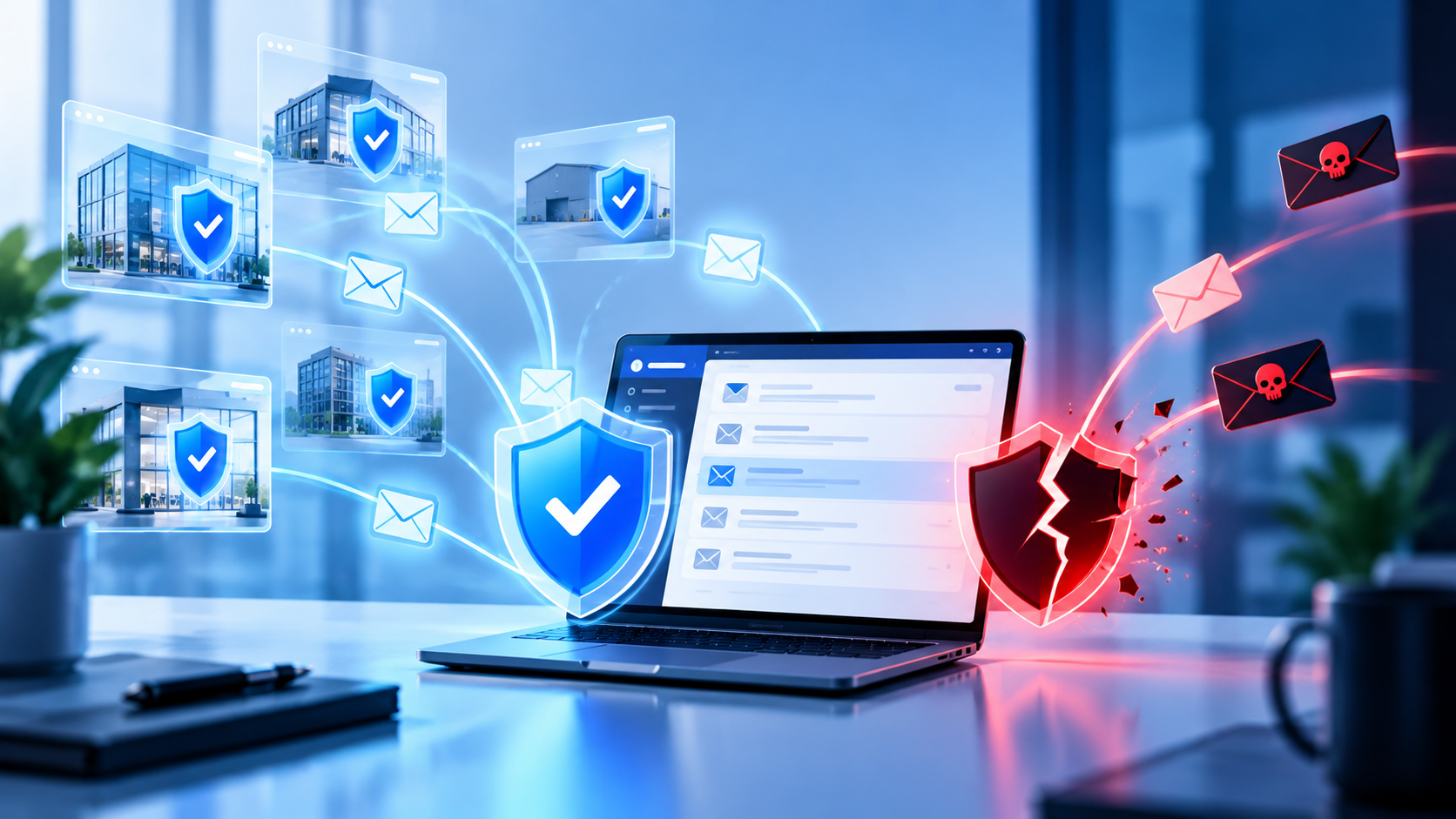
Email is one of the most important communication tools in almost every business. Employees use it to communicate with customers, exchange documents, coordinate with vendors, approve financial transactions, share internal information, and access other business applications.
That makes business email an attractive target for cybercriminals.
A successful email attack does not always require sophisticated malware or a direct attack against the company’s network. In many cases, an attacker only needs to convince an employee to click a malicious link, provide credentials, open an attachment, or trust a message that appears to come from someone they know.
This is why business email security needs to be treated as part of a broader cybersecurity strategy rather than simply an email filtering problem. Businesses need the right combination of technical controls, identity protection, employee awareness, monitoring, and response processes to reduce the risk associated with email-based attacks.
Why Business Email Remains a Major Cybersecurity Risk
Businesses have become increasingly dependent on cloud-based communication and collaboration. Email accounts may contain years of conversations, documents, customer information, invoices, contracts, employee information, and other sensitive business data.
An employee’s inbox can also provide an attacker with valuable information about the organization. By reviewing legitimate conversations, an attacker may learn who handles finances, which vendors the company works with, who reports to whom, or when certain payments and projects are scheduled.
This information can then be used to make subsequent attacks more convincing.
For example, an attacker who gains access to an employee’s mailbox may be able to send a message that looks like an ordinary conversation between the employee and a vendor. The recipient may have little reason to suspect that the account has been compromised.
The risk therefore goes beyond receiving a suspicious email. A compromised business email account can become a starting point for broader fraud, data exposure, credential theft, and further compromise.
Clearscope’s approach to cybersecurity reflects this broader view, incorporating identity protection, authentication, employee awareness, phishing testing, dark web monitoring, and other security measures into a wider managed IT environment.
The Most Common Business Email Security Threats
Understanding the most common email-based threats is the first step toward building better business email security. Although attacks continue to evolve, several techniques remain particularly important for businesses to address.
Phishing Attacks
Phishing is one of the most familiar forms of email-based cyberattack, but that does not make it less effective.
A phishing email attempts to convince the recipient that the message is legitimate. The attacker may impersonate a bank, software provider, customer, vendor, coworker, or another trusted organization.
The goal might be to persuade the employee to click a link, download a file, provide login credentials, or disclose sensitive information.
Modern phishing messages can be difficult to distinguish from legitimate business communications. Attackers may use familiar branding, realistic language, and information gathered from publicly available sources to make their messages more convincing.
That is why businesses should combine technical email filtering with employee security awareness training. Clearscope specifically incorporates phishing testing and cybersecurity awareness training into its managed IT offering.
Business Email Compromise
Business Email Compromise, commonly called BEC, takes email-based fraud a step further.
Instead of simply trying to distribute malware or steal a password, the attacker attempts to manipulate a business process. The attacker might impersonate an executive, employee, customer, or vendor and request a payment, change to banking information, sensitive documentation, or another action.
The message may not contain an obvious malicious link or attachment. Instead, it relies on trust and urgency.
This makes BEC particularly challenging because traditional email filtering cannot solve every social engineering problem. Businesses also need internal processes that require employees to verify unusual financial requests, changes to payment information, or other sensitive instructions through an independent communication channel.
Email Account Takeover
An attacker who obtains an employee’s credentials may attempt to take control of the employee’s email account.
Once inside, the attacker may read messages, access documents, search for sensitive information, create rules that hide certain messages, or send fraudulent emails from the compromised account.
The attacker may also use the account to target other employees or external contacts.
Multi-factor authentication can significantly strengthen account security by requiring an additional verification factor beyond a password. However, MFA should be considered one layer of protection rather than a complete email security strategy.
Malicious Links and Attachments
Not every phishing email asks for credentials directly.
Some messages attempt to persuade employees to open a malicious attachment or visit a harmful website. These attacks may be disguised as invoices, shipping notifications, documents, resumes, account alerts, or other files that employees routinely encounter.
Businesses should therefore consider how email security controls identify suspicious attachments, links, and messages while also making sure employees understand what to do when something looks unusual.
Email-Based Impersonation
Cybercriminals can also use impersonation without actually compromising the sender’s account.
An attacker might create an email address that looks similar to an executive’s or vendor’s legitimate address. Small differences can be difficult to notice, particularly when an employee is responding quickly from a mobile device.
This is one reason security awareness matters. Employees need to understand that a familiar-looking sender name does not automatically mean the request is legitimate.
How a Compromised Business Email Account Can Affect Your Company
The consequences of an email compromise can extend well beyond the affected employee.
An attacker may gain access to sensitive business conversations, customer information, financial details, contracts, internal documents, or other data stored in the mailbox.
The compromised account may also be used to target other people.
Imagine that an attacker gains access to the mailbox of an employee who regularly communicates with the company’s accounting team. The attacker can review previous conversations and understand how invoices and payments are normally handled.
They could then create a convincing message that fits naturally into an existing conversation and attempt to redirect a payment.
The technical compromise may have started with one employee’s credentials, but the resulting risk can affect finance, customers, vendors, leadership, and the wider organization.
This is why business email security should be connected to identity management, endpoint security, employee training, and broader IT monitoring.
What Effective Business Email Security Should Include
There is no single tool that can eliminate every email-related cybersecurity risk. Effective protection requires multiple layers working together.
Multi-Factor Authentication
Passwords remain an important part of account security, but relying on passwords alone creates unnecessary risk.
Multi-factor authentication adds another verification step when users access protected accounts. This can make it significantly more difficult for someone with a stolen password to access an account.
Businesses should review which accounts require MFA, particularly accounts with access to sensitive information or important business systems.
Email Filtering and Threat Protection
Email filtering provides an important first line of defense by identifying and blocking unwanted or potentially malicious messages before they reach employees.
Effective email protection should address spam, phishing attempts, malicious links, suspicious attachments, and other common threats.
However, filtering should not be viewed as a substitute for employee awareness. Some legitimate-looking social engineering messages may still reach an inbox, which is why employees need to know how to identify and report suspicious activity.
Employee Security Awareness
Technology can block many threats, but employees remain an important part of the security environment.
Security awareness training should go beyond telling employees to “watch out for phishing.”
Employees should understand how attackers use urgency, authority, impersonation, unexpected requests, suspicious links, and unusual payment instructions to manipulate them.
They should also know exactly how to report a suspicious message.
Clearscope provides cybersecurity awareness training and phishing testing as part of its managed technology and security approach.
Identity and Access Controls
Email security should also include appropriate controls over who can access business accounts and systems.
Businesses should regularly review user accounts, permissions, administrative access, and former employee access. Employees should not retain access to systems or information they no longer need.
This becomes increasingly important as organizations grow and the number of employees, applications, devices, and cloud services increases.
Endpoint and Device Protection
Email security does not stop when a message reaches an employee’s inbox.
The device used to access email also needs to be protected.
A compromised laptop or workstation can create additional security risks even when email accounts themselves have strong controls. Device management, security updates, endpoint protection, and appropriate access policies therefore form an important part of the overall security picture.
Clearscope’s managed IT services include device lifecycle management, macOS and Windows management, network management, and cybersecurity capabilities.
Monitoring and Incident Response
Businesses also need to know what happens when something goes wrong.
If an employee’s account is compromised, the organization should have a process for securing the account, resetting credentials, reviewing activity, investigating potential data exposure, and determining whether other accounts or systems may have been affected.
A strong response process can reduce the time an attacker has to continue using a compromised account.
Why Email Security Cannot Be Separated From Your IT Environment
One of the biggest mistakes businesses can make is treating email security as an isolated technology problem.
Consider a common scenario.
An employee receives a convincing phishing email and enters their credentials into a fraudulent website. The attacker obtains those credentials and attempts to access the employee’s email account.
If MFA is not enabled, the attacker may gain access immediately.
Once inside the account, they can potentially review conversations and identify additional targets. They may then send convincing messages to other employees or external contacts.
The incident has now moved beyond email.
It involves identity, access management, employee behavior, endpoint security, cloud applications, and incident response.
This is why proactive IT management matters. Clearscope positions managed IT as a comprehensive service that combines everyday IT support with cybersecurity, device management, network management, employee onboarding, and strategic technology guidance.
How to Evaluate Your Current Business Email Security
Businesses do not need to start with an expensive technology overhaul. A good first step is understanding what protections are already in place and where gaps may exist.
Start by reviewing account security. Determine whether MFA is enabled, whether administrative accounts have appropriate protection, and whether former employees have been completely removed from business systems.
Next, review your email protection. Understand what filtering is being used and how the organization handles suspicious links, attachments, spam, phishing, and impersonation attempts.
Employee awareness should also be evaluated. Do employees know how to recognize a suspicious request? Do they know where to report a phishing email? Are employees expected to independently verify unusual payment or account-change requests?
Finally, review what happens after an incident. If an employee reports that they entered their credentials into a suspicious website, does your IT team have a clear response process?
These questions can reveal weaknesses that may not be visible during normal day-to-day operations.
Common Business Email Security Mistakes to Avoid
Relying Only on Passwords
Passwords are important, but they should not be the only protection around business email accounts. Businesses should evaluate stronger authentication methods and apply them appropriately across the organization.
Assuming Email Filtering Blocks Everything
Email filtering is valuable, but no filtering system should be treated as a guarantee that every malicious message will be stopped. Employees still need security awareness training and clear reporting procedures.
Ignoring Former Employee Accounts
Employee departures create an important security checkpoint. Accounts, devices, applications, shared credentials, and access permissions should be reviewed as part of the offboarding process.
Treating Security Training as a One-Time Exercise
Security awareness should evolve as threats and business processes change. Regular training and phishing simulations can help employees recognize the types of attacks they are actually likely to encounter.
Focusing Only on Email
Email security is important, but it is only one component of business cybersecurity. Devices, networks, cloud applications, authentication, backups, access controls, and employee behavior all influence the organization’s overall security posture.
When Should Your Business Review Its Email Security?
There is no reason to wait for a successful phishing attack before reviewing business email security.
A review is especially valuable when your business is growing, adding employees, adopting new cloud applications, changing its IT environment, experiencing frequent phishing attempts, or handling increasingly sensitive information.
Businesses should also consider reviewing their email security when preparing for a broader cybersecurity assessment or cyber insurance process.
Clearscope’s managed IT services include cybersecurity awareness training, phishing testing, dark web monitoring, identity protection practices, and cybersecurity insurance support, making email security part of a wider proactive technology strategy rather than a standalone task.
Building a Stronger Business Email Security Strategy
Business email security is ultimately about reducing opportunities for attackers while making it easier for employees to communicate and work safely.
That requires more than installing an email security tool.
Businesses need appropriate authentication, email filtering, employee awareness, access controls, endpoint protection, monitoring, and a defined response process. These controls should also be reviewed regularly as the organization grows and its technology environment changes.
The most effective approach is proactive. Instead of waiting for a compromised account or fraudulent payment to reveal a weakness, businesses can evaluate their environment in advance and address security gaps before they become incidents.
This is also why email security belongs within the broader IT strategy. Clearscope Technology Solutions combines managed IT, cybersecurity, technology consulting, device management, network management, and strategic IT services to help businesses build and maintain a more secure technology environment.
Frequently Asked Questions About Business Email Security
What Is Business Email Security?
Business email security refers to the combination of technologies, policies, processes, and employee practices used to protect business email accounts and communications from threats such as phishing, malware, impersonation, credential theft, and unauthorized access.
How Can Businesses Prevent Phishing Attacks?
Businesses can reduce phishing risk by combining email filtering, multi-factor authentication, employee security awareness training, phishing simulations, appropriate access controls, and clear procedures for reporting suspicious messages.
No single control can prevent every phishing attempt, so layered protection is important.
Is MFA Enough to Protect Business Email?
No. MFA is an important layer of account protection, but it does not eliminate risks such as phishing, malicious attachments, social engineering, compromised devices, or business email compromise.
MFA should be combined with email protection, security awareness, endpoint security, access controls, and monitoring.
What Should a Business Do If an Employee’s Email Account Is Compromised?
The organization should immediately secure the account, reset credentials, review authentication and account activity, investigate whether sensitive information was accessed, and determine whether messages were sent to other employees, customers, or vendors.
The organization should also assess whether the incident could have affected other accounts or systems.
How Often Should Businesses Review Email Security?
Email security should be reviewed regularly rather than only after an incident. The appropriate frequency depends on the organization’s size, industry, technology environment, risk profile, and regulatory requirements.
A review should also be considered whenever the business experiences significant changes such as rapid growth, new applications, employee turnover, or changes to its IT infrastructure.
Protect Your Business Email Before It Becomes a Business Problem
Email remains one of the most essential tools in modern business, but that same importance makes it an attractive target for attackers.
Phishing, business email compromise, account takeover, impersonation, and malicious attachments can all create risks that extend beyond an employee’s inbox. Protecting against those threats requires a combination of technology, employee awareness, identity controls, device protection, monitoring, and proactive IT management.
The goal is not to make email harder to use. It is to build an environment where employees can communicate and work efficiently while the organization has appropriate safeguards around its most important systems and information.
If you are unsure whether your current email environment provides the protection your business needs, a broader cybersecurity and IT assessment can help identify gaps and prioritize the improvements that matter most.
Ready to strengthen your business email security?
Talk to Clearscope Technology Solutions about your organization’s IT and cybersecurity environment and identify practical ways to improve protection, reduce risk, and build a more proactive IT strategy


